What is a shared wallet?
A HyperPay shared wallet usually requires more than one wallet owner's approval to authorize an outgoing payment. It is used to divide up responsibility for possession of crypto assets and proved to be advantageous for corporate fund management and transactions requiring multiple authorizations.
You can use a shared wallet:
- as your business wallet to manage your corporate funds
- as your family wallet to manage mutual monthly expenses
- with your friends to save for vacation money together
How to create a shared wallet?
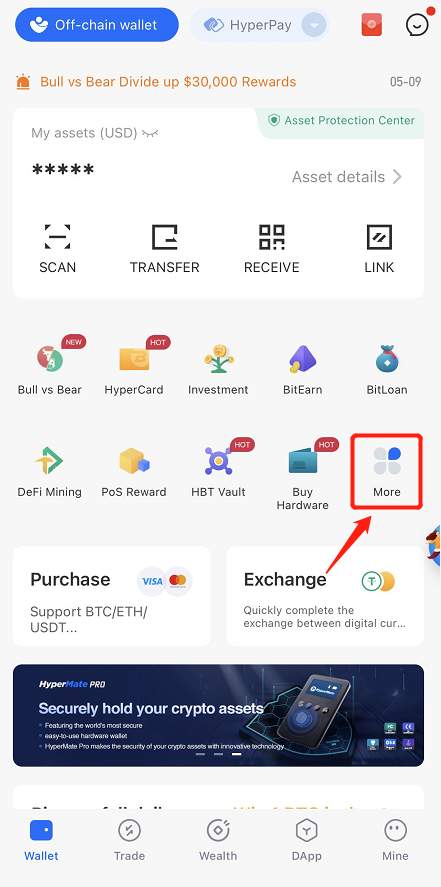
1. Open the HyperPay wallet app and click "More" on the home page.
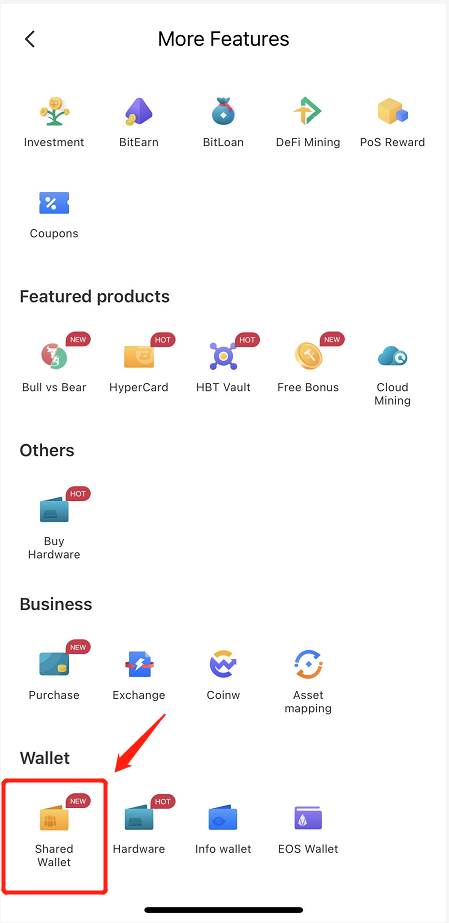
Scroll down to the bottom of the page and click on the shared wallet in the wallet section:
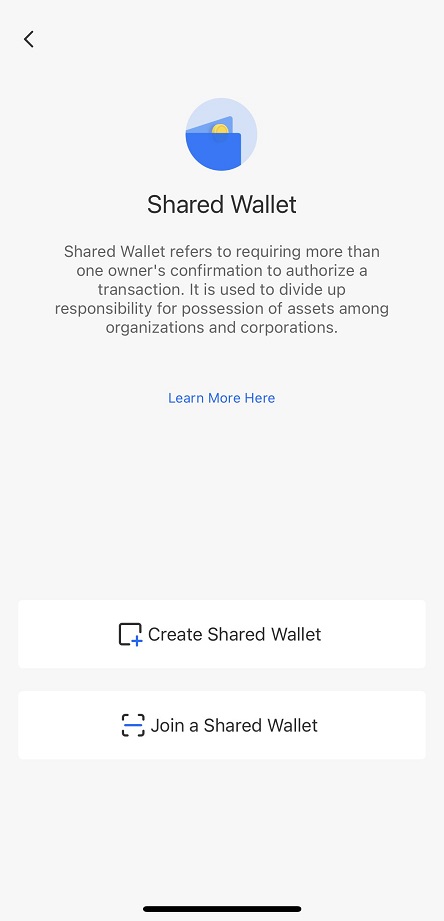
Start creating a shared wallet:
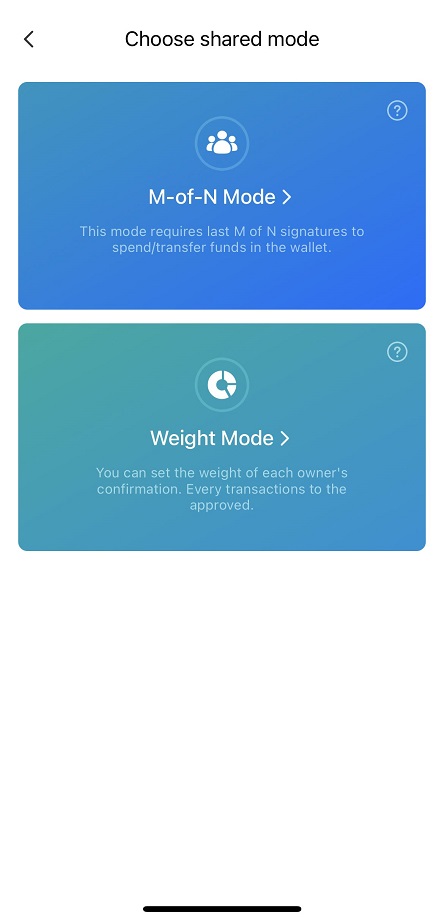
Users can customize the management rules of the shared wallet according to their actual needs. At present, the transfer mechanism supports the member mode (confirmations from a certain number of people) and the share mode (confirmations from a certain number of shares. Take the member mode as an example:
If you create a member wallet, you need to enter the wallet name and the number of members that is needed for confirmation and the total number of members:
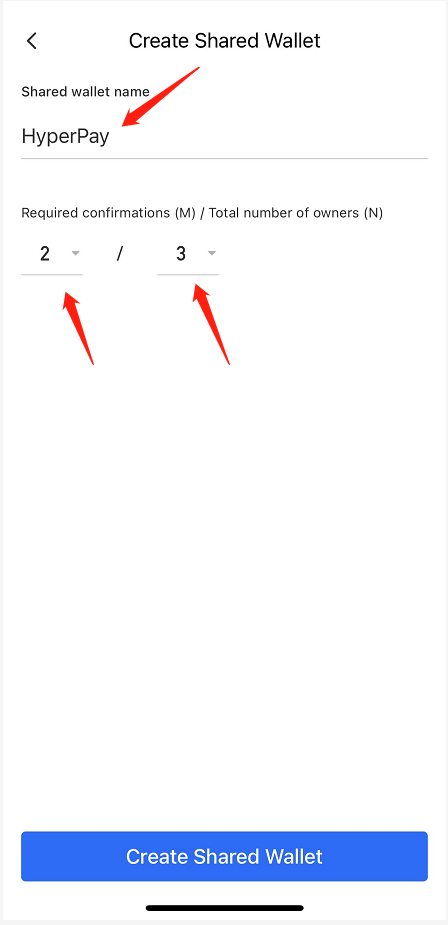
Click "Create", the initiator needs to invite other members to confirm within the deadline:
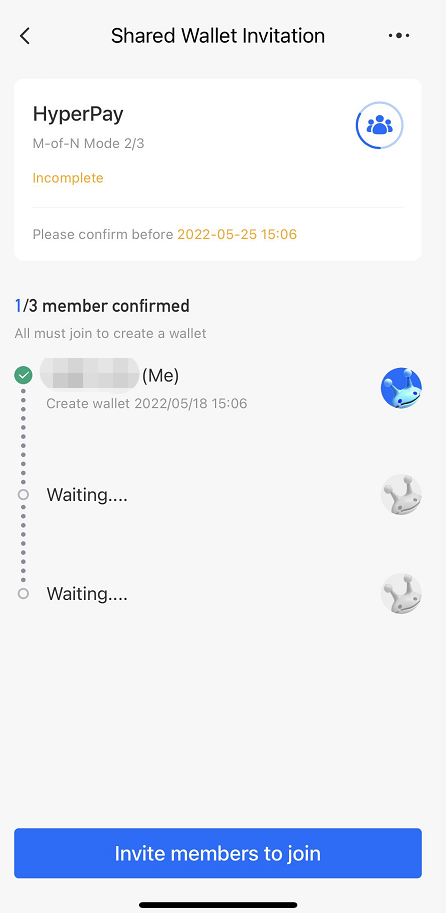
The initiator shows the QR code of the shared wallet invitation to other members. Members can use HyperPay's scan function to scan the code to join:
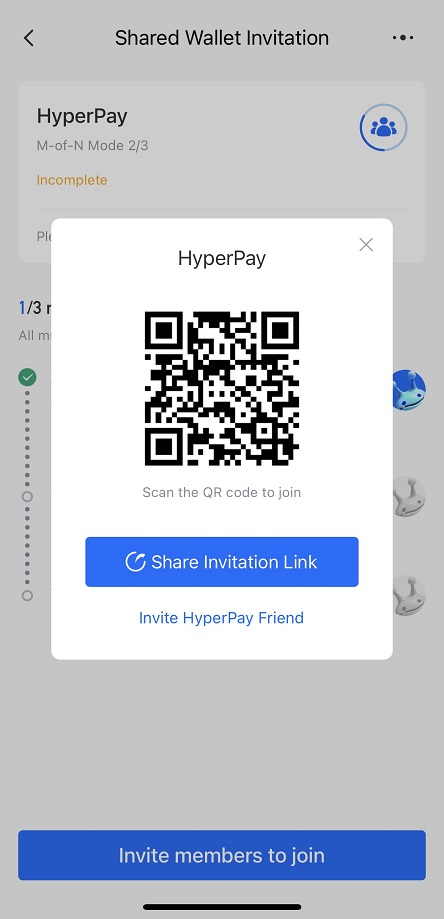
Or the initiator shares the shared wallet invitation link to other members. Members can join the wallet by entering their mobile phone number and SMS verification code (users who have not registered with HyperPay will be automatically registered with the number).