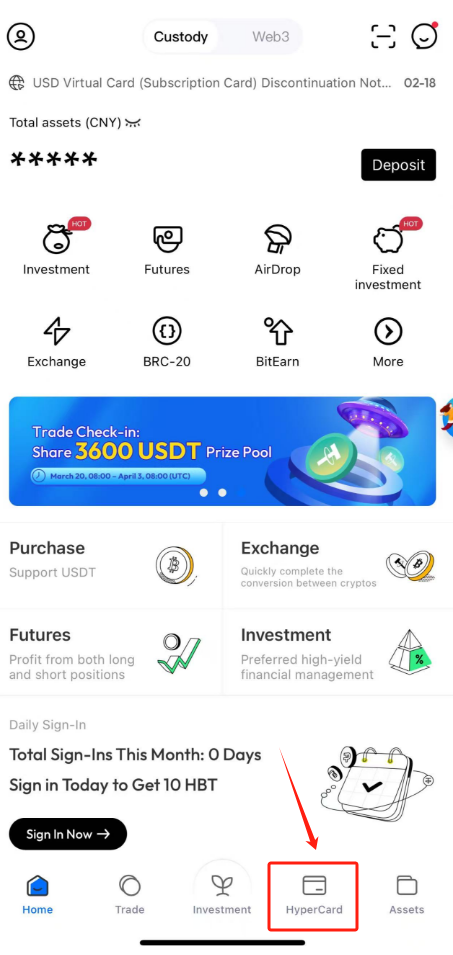
1. Open HyperPay App, click HyperCard on the Home page
2. Select the card type you want to apply for. If you want to apply for HyperCard Virtual card, click it
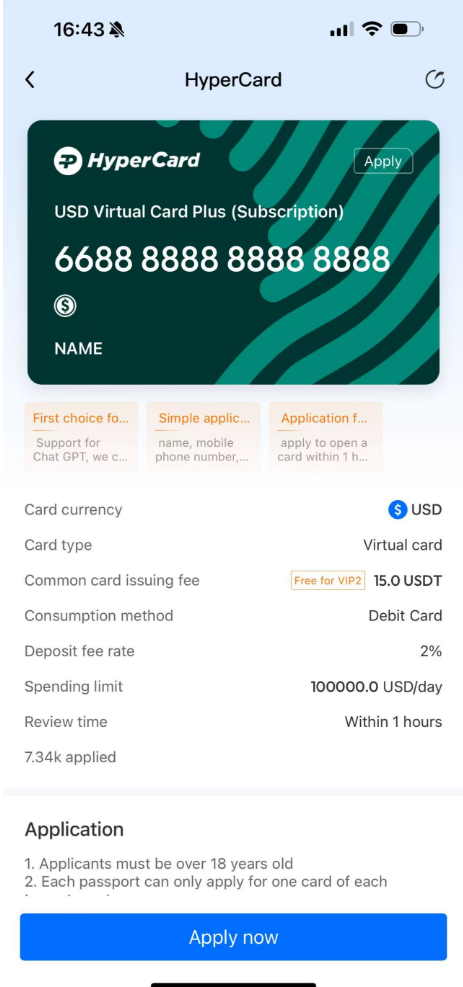
3. Then click “Apply now”
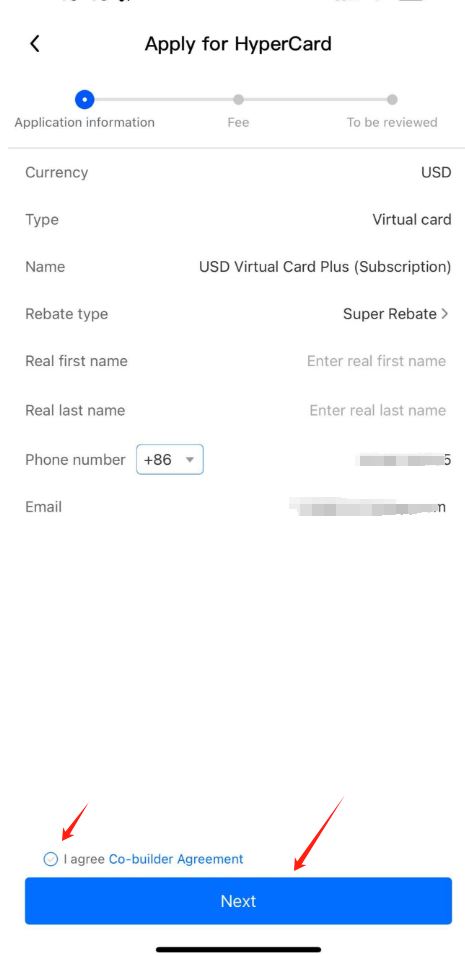
4. Fill in the information required on the page truly and completely, and click “Next”. Please note the name needs to be the same as the name on your passport.
5 After paying the card opening fee, you will enter the review process. The virtual card review time is within 12 hours.
If the user needs to apply for a physical card:

6. Then enter the payment page, confirm the price, currency and payment amount, and click "Pay" if ther's no problem.

7. After the payment, you are expected to receive the card within 30 days after all the KYC material you submitted passes the review.